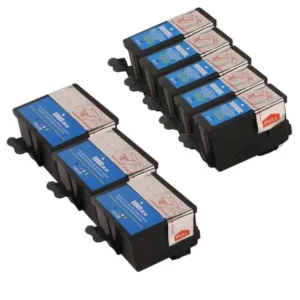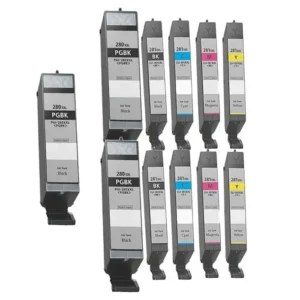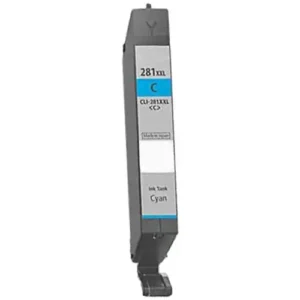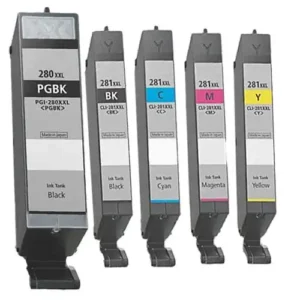
Ink That Performs. Prices That Impress.
Remanufactured Printer Ink That Delivers Quality, Savings, and Sustainability
Eco Smart
♻️ Reduce. Reuse. Print.
Cost Saver
💸 Less Ink Cost.
Print Perfect
🖨 Sharp. Clean. Consistent.
Guaranteed Quality
✅ Tested. Trusted. Backed.
Top Picks in Ink
-
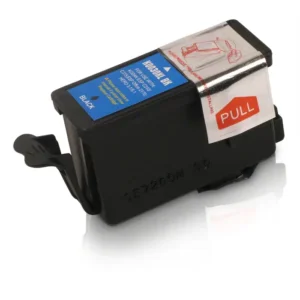
High-Capacity Black Ink Cartridge – Extended Yield & Reliable Performance
$10.00Original price was: $10.00.$8.00Current price is: $8.00. -
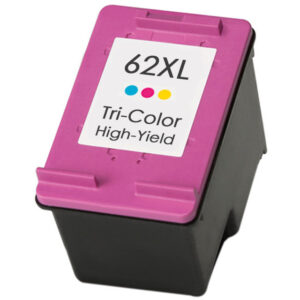
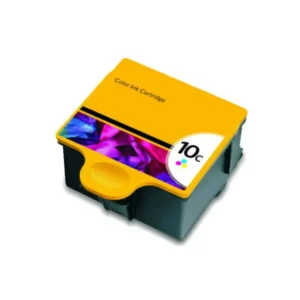
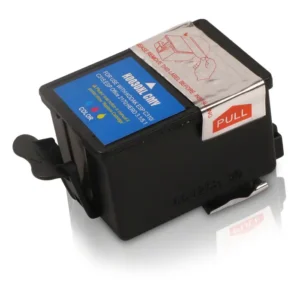
High-Capacity Color Ink Cartridge – Vibrant & Durable Prints
$10.00Original price was: $10.00.$8.00Current price is: $8.00. -
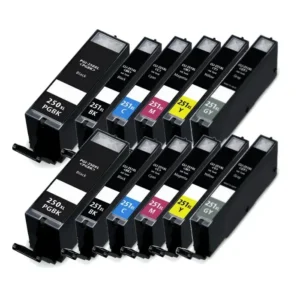
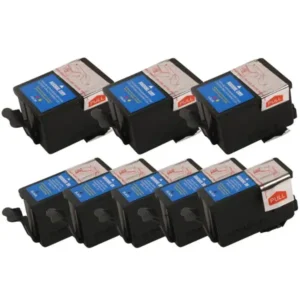
High-Yield Ink Cartridge 12-Pack – Comprehensive Black & Color Set
$99.00Original price was: $99.00.$69.00Current price is: $69.00. -
High-Yield Ink Cartridge 4-Pack – Dual Black & Color Set
$45.00Original price was: $45.00.$38.00Current price is: $38.00. -
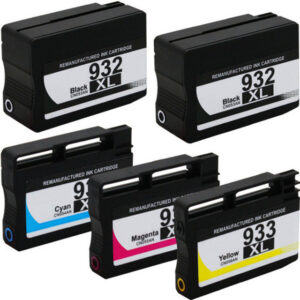
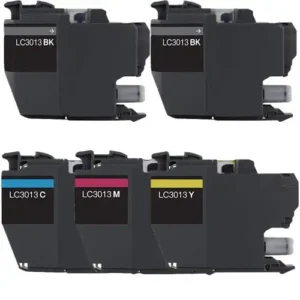
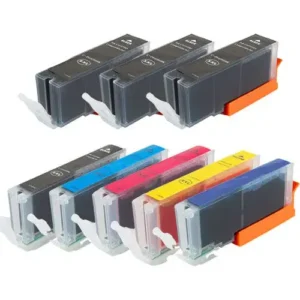
High-Yield Ink Cartridge 5-Pack – Dual Black & Tri-Color Set
$59.00Original price was: $59.00.$49.00Current price is: $49.00. -
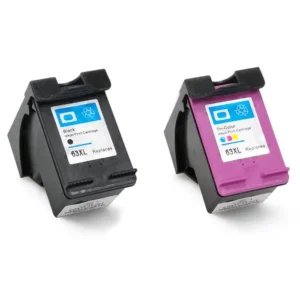
High-Yield Ink Cartridge Duo – Black & Color Combo Pack
$25.00Original price was: $25.00.$20.00Current price is: $20.00. -
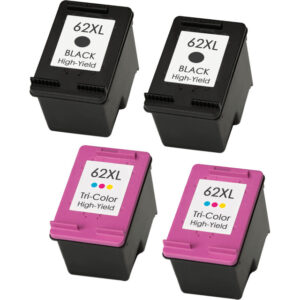
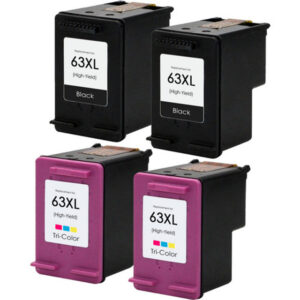
High-Yield Ink Value Pack – 2 Black & 2 Color Cartridges
$45.00Original price was: $45.00.$40.00Current price is: $40.00. -
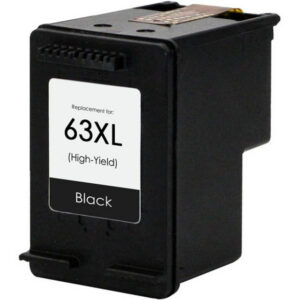
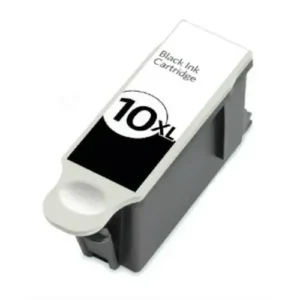
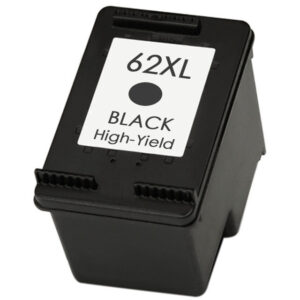
Premium High-Yield Black Ink Cartridge – Superior Longevity & Clarity
$10.00Original price was: $10.00.$8.00Current price is: $8.00.
Affordable Ink Without the Compromise
Get the print quality you expect—without paying full price. Our remanufactured cartridges cost up to 60% less than original brands and are tested for reliable, long-lasting performance.
Better for Your Printer. Better for the Planet.
Every cartridge we remanufacture helps reduce plastic waste and carbon impact. Join the smarter, greener way to print—without sacrificing quality or convenience.
Tested. Trusted. Guaranteed.
We rigorously test each cartridge to ensure crisp prints, smooth performance, and full compatibility with your printer. Backed by a 100% satisfaction guarantee.
Ink Installation Made Simple For Every Printer Type
Introduction to Effortless Ink Installation
Understanding Printer Ink Cartridges
Preparing for Ink Installation
- Turn on Your Printer: Ensure the printer is powered on.
- Open the Cartridge Access Door: Locate and gently open the door or panel that allows access to the ink cartridges.
- Check Printer Model Specifics: Some printers have specific instructions for cartridge replacement – consult your printer’s manual if needed.
Step-by-Step Ink Installation Process
- Gently Pull Out: Carefully remove the old or empty cartridge from its slot.
- Dispose Responsibly: Consider recycling old cartridges or disposing of them according to local guidelines.
- Unpack Carefully: Remove the new remanufactured cartridge from its packaging.
- Remove Protective Tape: Take off any protective tape or covers from the cartridge’s print head or contacts.
- Align and Insert: Insert the new cartridge into the corresponding slot, ensuring it clicks into place securely.
- Close the Access Door: Gently shut the cartridge access door.
- Printer Recognition: The printer may prompt recognition of the new cartridge – follow on-screen instructions.
- Alignment Process: Many printers initiate an alignment process for optimal print quality post-installation.
- Handle Cartridges Carefully: Avoid touching electrical contacts or print heads excessively.
- Use Compatible Cartridges: Ensure cartridges are compatible with your printer model for best results.
- Check for Clogs: Occasionally, printers may need head cleaning cycles if prints appear streaky.
- Inkjet Printers: Most home and office printers are inkjet; follow above steps generally applicable.
- Laser Printers: Use toner cartridges; installation differs from inkjet – consult manual.
- All-in-One Printers: Multifunction printers often follow similar ink installation steps.
- Cartridge Not Recognized: Check if cartridge is properly seated or if it’s compatible.
- Print Quality Issues: Run printer’s built-in cleaning or alignment cycles.
- Error Messages: Consult printer manual or contact support for specific error codes.
- Cost Savings: Remanufactured cartridges like ours offer savings vs. OEM cartridges.
- Environmental Impact: Recycling cartridges reduces waste and conserves resources.
- Quality Prints: Remanufactured cartridges are tested for quality and reliability.
- Regular Maintenance: Keep your printer clean and check ink levels periodically.
- Use Genuine/Compatible Supplies: For best print quality and printer longevity.
- Update Printer Drivers: Ensure drivers are up-to-date for optimal functionality.
Print with a Purpose Remanufactured Inks, Less Waste More Value
In today’s world where environmental consciousness is increasingly important, making eco-friendly choices in our daily activities – including printing – can have a significant positive impact. One impactful way to contribute to sustainability in printing is by choosing remanufactured ink cartridges. “Print with a Purpose” isn’t just a slogan; it’s a commitment to reducing waste and maximizing value through smarter printing choices like opting for remanufactured inks.
What Are Remanufactured Ink Cartridges?
Remanufactured ink cartridges are original cartridges that have been collected, thoroughly cleaned, refilled with high-quality ink, and rigorously tested to meet stringent performance standards. Unlike mere refilling, remanufacturing involves restoring cartridges to a like-new condition with attention to quality and reliability. This process breathes new life into cartridges that would otherwise end up in landfills, contributing to e-waste.
Environmental Benefits of Remanufactured Inks
Reduced Waste: Remanufactured cartridges help divert millions of cartridges from landfills annually.
Resource Conservation: By reusing cartridge shells, remanufacturing conserves plastics and other resources needed for new cartridges.
Lower Carbon Footprint: The remanufacturing process typically has a lower environmental impact compared to manufacturing new cartridges.
Economic Advantages
Cost Savings: Remanufactured cartridges often come at a lower price point than original equipment manufacturer (OEM) cartridges, helping businesses and consumers save on printing costs.
Value for Money: Remanufactured inks offer comparable print quality and reliability, providing excellent value.
Supporting a Circular Economy: Choosing remanufactured products supports recycling and reuse industries.
Quality and Reliability
Testing and Assurance: Reputable remanufacturers like us ensure cartridges are tested for quality and performance.
Print Quality: Remanufactured cartridges deliver sharp texts and vibrant colors, meeting user expectations.
Compatibility: Designed to fit and work with a wide range of printer models.
How Remanufactured Inks Contribute to a Greener Tomorrow
By opting for remanufactured ink cartridges, users play a part in reducing the environmental burden of printing supplies. It’s a simple switch with multiple benefits:
Less Plastic Waste: Every remanufactured cartridge means one less cartridge in a landfill.
Conservation of Resources: Remanufacturing reduces need for raw materials used in new cartridge production.
Encouraging Sustainable Practices: Adoption of remanufactured products promotes eco-friendly business and consumer habits.
Making the Switch to Remanufactured Inks
Transitioning to remanufactured cartridges is straightforward. Whether you’re a home user or manage printing for a business, consider these steps:
Check Compatibility: Ensure remanufactured cartridges fit your printer model.
Look for Quality Assurance: Choose reputable suppliers with quality guarantees.
Experience the Benefits: Notice cost savings and contribute to sustainability.
Print Smarter Today
“Print with a Purpose” by choosing remanufactured inks embodies a blend of smart economics and environmental responsibility. With remanufactured cartridges offering less waste and more value, users gain affordable, quality printing while supporting greener practices. It’s about aligning everyday actions like printing with broader goals of sustainability and resourcefulness.
Why Choose Us?
We offer high-quality remanufactured ink cartridges designed for performance and sustainability. Backed by commitment to environmental values and customer satisfaction, our products help you “Print with a Purpose” – achieving your printing needs while caring for the planet.
Conclusion
Embracing remanufactured ink cartridges is a purposeful choice reflecting commitment to environmental stewardship and smart resource use. Make a difference with every print by opting for remanufactured inks – less waste, more value, aligning with a sustainable future.
Get Connected, Get Printing Quick & Easy Setup
Setting up your printer shouldn’t be a hassle. Whether you’re looking to connect my printer to your home network for seamless printing from multiple devices, add a new printer over network for office use, or get a new printer to wifi for cable-free convenience, we’ve got you covered with simple steps for a smooth experience. Getting your printer connected means you can start printing important documents, photos, and more – quickly and efficiently without worrying about complicated configurations.
Effortless Connectivity Options
Today’s printers offer multiple ways to connect and print, catering to varied user needs. You can easily opt for a wireless printer connect option, making it simple to place your printer anywhere in your home or office without worrying about cables cluttering your space. Want to print from your laptop, smartphone, or tablet? A wifi printer setup lets you link up your devices effortlessly, enabling printing from anywhere within the network range. Linking your devices to the printer via wifi to printer connectivity opens up flexible printing possibilities, ideal for modern workspaces and home offices seeking convenience and mobility.
Step-by-Step Printer Setup Guide
Setup Printer: Start by plugging in your printer and powering it on. Most modern printers have intuitive interfaces guiding initial setup.
Configure Printer: Access the printer’s control panel to begin configuration for network or wireless connectivity. Many printers also support setup via companion apps or web interfaces.
Choose Connection Type: Opt for WiFi, Ethernet, or USB based on your specific needs – WiFi for flexibility, Ethernet for stable office networks, USB for direct connections.
Add Printer: On your computer, go to devices/settings to add the printer. Operating systems like Windows, macOS, or mobile OS often have straightforward processes for adding network printers.
Test Print: Print a test page to ensure connectivity and functionality are working perfectly.
Benefits of Wireless Printing
A wireless printer connect brings flexibility to your workspace, allowing you to position the printer in a convenient location without being tethered to a computer. Place your printer anywhere – no need for it to be physically plugged into a computer. Print from multiple devices like laptops, phones, and tablets with a wifi printer setup. Mobility and ease of use make wireless printing a popular choice for home and office users alike looking to streamline their printing tasks. It also simplifies sharing the printer among multiple users in a network.
Common Connectivity Scenarios
New printer to wifi: Easily connect a fresh printer to your WiFi network for wireless printing – typically involves selecting your network from the printer’s display and entering credentials.
Wifi to printer: Link your devices to the printer via WiFi for cable-free printing, letting you print from anywhere in range.
Configure printer settings for optimal performance and connectivity – check printer manuals or online help for model-specific guidance.
Need to add printer to multiple devices? Follow simple OS-specific steps like adding via IP address for network printers.
Troubleshooting Tips
Encountering issues? Check basics like power, connectivity, and drivers. Ensure your printer is connected to the right network if using wifi to printer links. Verify WiFi signal strength if connectivity is spotty. For persistent problems, consult your printer’s manual or contact support for help with setup printer or connectivity glitches. Updating printer drivers can also resolve many connectivity issues.
Simplify Your Printing Experience
With easy steps to connect my printer, setup printer, and configure printer, you’re ready to print what matters. Whether adding a new printer over network for shared office use or doing a wifi printer setup for home convenience, straightforward connectivity gets you printing fast. Enjoy hassle-free printing with flexible connectivity options like wireless printer connect and more, designed to fit your printing lifestyle.
Ready to Get Started?
Explore our range of printers and connectivity solutions designed for quick setup and reliable performance. Get printing with ease – Get Connected, Get Printing. Find the right printer for your needs and start enjoying simple, flexible printing today.
Print Problems? We’ve Got Solutions Quick Troubleshooting Guide
Encountering issues with your printer can be frustrating, especially when you need to print important documents or scan critical papers. Whether you’re facing problems like printer not found, printer scanner not found, or wondering why printer not printing, our quick troubleshooting guide aims to help you resolve common printer issues efficiently and get back to printing and scanning smoothly.
Common Printer Issues & Fixes
Printer Not Found: If your computer can’t detect the printer, check connections (USB, network, WiFi) and ensure the printer is powered on. Reinstalling drivers might help if it’s a recognition issue.
Printer Scanner Not Found / Printer Scanner Not Working: For scanning issues, check if scanner drivers are up-to-date. Ensure the printer’s scanning software is properly configured. Try restarting the printer and computer.
Not Able to Scan: If scanning isn’t working, verify connections, check for software updates, and ensure the scanner is selected in the scanning app.
Printer Not Printing: Check ink levels, paper jams, and ensure the printer isn’t paused. Verify connectivity if it’s a network printer.
Addressing Offline Printer Issues
My Printer is Offline / Printer Offline: If your printer shows as offline, check network connections (for wireless/network printers). Ensure the printer is set to “online” in device settings. Restarting the printer and checking for driver issues can help.
Bringing a printer online often resolves printer not working issues related to connectivity.
Troubleshooting Steps for Printer Not Working
Check Power & Connections: Ensure the printer is on and cables are secure (USB, power).
Ink/Toner & Paper: Check supplies like ink levels and paper status.
Drivers & Software: Outdated drivers can cause issues; update printer drivers.
Network Issues: For network printers, check WiFi/router connectivity if printer not found on network.
Error Messages: Consult printer display or computer for specific error codes and remedies.
Resolving Scanning Problems
If printer scanner not working or you’re not able to scan, try these fixes:
Check scanner settings in software.
Ensure proper connection (USB/WiFi).
Update scanner drivers.
Restart devices to refresh connections.
When to Seek Printer Help
Sometimes issues need expert printer help – like persistent printer not printing problems, repeated printer offline status, or hardware faults. Contact support if:
Troubleshooting steps don’t resolve issues.
You see error messages you can’t decipher.
Hardware problems like paper jams persist.
Preventive Measures for Smooth Printing
Regular Maintenance: Keep printer clean, check ink/ toner.
Use Compatible Supplies: Genuine or quality remanufactured cartridges.
Update Drivers Regularly: Keep printer drivers current.
Check Connectivity: Ensure stable network links for wireless/network printers.
Getting Back to Printing
Most printer not working issues have straightforward fixes – checking connections, updating drivers, ensuring supplies like ink are adequate. For scanning troubles like not able to scan or printer scanner not found, verifying settings and connections often helps. Need more printer help? Consult manuals or contact support for expert guidance on resolving printer offline or other persisting problems. With these troubleshooting tips, you’re equipped to tackle common printer issues and Get Printing Again.
Conclusion
Print problems like printer not printing, my printer is offline, or printer scanner not working can disrupt workflow. But with quick troubleshooting steps addressing issues like printer not found or printer not working, you can often resolve them fast and get back to productive printing and scanning. Explore our resources for more printer help and ensure smooth printing operations.
Print Anywhere, Connect Everywhere Seamless Online & Network Printing
In today’s connected world, printing shouldn’t be bound by location or device. With printer online solutions and robust network printing capabilities, you can print anywhere, connect everywhere – enhancing productivity whether you’re in the office, at home, or on the go. Experience the flexibility and convenience of seamless online & network printing tailored for modern needs.
Benefits of Online & Network Printing
Accessibility: Print from multiple devices like laptops, smartphones, and tablets with printer online services.
Flexibility: Place your printer anywhere with network connectivity – no need for direct PC connections.
Sharing: Easily share printers across users in an office or home network.
Convenience: Print documents, photos, and more without needing to be physically near the printer.
How Online Printing Works
Online & network printing often involves connecting your printer to a WiFi or Ethernet network. Once connected:
Devices on the same network can send print jobs.
Many printers support mobile printing via apps.
Cloud printing services let you print from anywhere with internet connectivity.
Ensure your printer service is configured for network access for smooth operations.
Setting Up Network Printing
Connect Printer to Network: Configure WiFi or Ethernet connection via the printer’s control panel.
Install Drivers: Ensure proper printer driver update for network functionality – drivers help communicate with the printer.
Add Printer on Devices: On computers/smartphones, add the network printer for printing.
Test Print: Verify connectivity with a test print from a network device.
Addressing Printer Driver Issues
Printer Driver Update: Keeping drivers current ensures compatibility and fixes issues.
Printer Driver is Unavailable: If drivers aren’t found, check manufacturer websites for downloads or try reinstalling.
Drivers are crucial for network printing – they enable your devices to talk to the printer.
Some issues with printer online status can relate to driver problems.
Features of Modern Network Printers
Wireless Connectivity: Print wirelessly from devices on the same network.
Mobile Printing: Print from smartphones/tablets via apps like Google Cloud Print, manufacturer apps.
Multi-Device Support: Print from PCs, Macs, mobiles.
Security Features: Some network printers have secure print options for confidentiality.
Optimizing Availability & Support
Printer Service: Check if your printer service provider offers support for network setups.
Ensure your network is secure if printing sensitive documents.
For issues, consult printer help resources or manufacturer support.
Mobile printing apps often simplify connecting devices to network printers.
Troubleshooting Online Printing Issues
Check network connectivity if a printer online status changes.
Verify printer driver is unavailable errors by reinstalling drivers.
Firewalls or network settings can affect printer access – adjust as needed.
Use manufacturer tools for diagnosing network printer problems.
Enhancing Productivity with Network Printing
With printer online and connected to your network, printing becomes part of a connected workflow – letting you print anywhere, connect everywhere. Whether at work or home, network printing streamlines tasks like printing contracts, reports, or creative projects. Leverage printer service solutions and ensure printer driver update routines for best performance.
Conclusion
Seamless online & network printing brings flexibility and efficiency – letting users print anywhere, connect everywhere. From setting up network printers to addressing issues like a printer driver is unavailable, understanding connectivity options enhances your printing experience. Embrace connected printing for productivity and convenience in today’s mobile world.
Ink That Inspires Vibrant Prints, Reliable Cartridges
The right printer ink can transform your printing experience, bringing images and text to life with vivid colors and sharp details. Whether you’re printing photos, marketing materials, or everyday documents, quality ink cartridges are essential for achieving the best results from your printer. Printer cartridges, be they original, compatible, or remanufactured, play a crucial role in ensuring reliable and impressive printing.
Choosing the Right Printer Ink & Cartridges
Printer Ink: Genuine printer ink often ensures color accuracy and print longevity.
Ink Cartridges: Ink cartridges come in various types – original OEM, compatible, and remanufactured options.
Printer Cartridges: Selecting the correct printer cartridges for your model ensures optimal performance.
Consider factors like print quality, cost, and environmental impact when choosing ink cartridges.
Benefits of Quality Ink Cartridges
Vibrant Prints: High-quality printer ink delivers sharp texts and vivid colors.
Reliability: Trustworthy ink cartridges mean fewer printing disruptions.
Cost Efficiency: Options like remanufactured cartridges can offer savings.
Environmental Considerations: Recycling and remanufacturing printer cartridges reduce waste.
Understanding Ink Cartridge Options
Original OEM Cartridges: Made by printer manufacturers, often ensure exact specs.
Compatible Cartridges: Third-party cartridges fitting specific printer models.
Remanufactured Cartridges: Used cartridges restored with new ink and tested.
Refill Printer: Some users opt to refill printer cartridges as a cost-saving measure, though it requires care.
Types of Printer Inks & Their Uses
Dye-Based Inks: Often used for vibrant color prints, common in inkjet printers.
Pigment-Based Inks: Known for durability and water resistance.
Eco-Solvent Inks: Used in certain large-format printing for outdoor use.
Choice depends on printing needs like photo printing vs. document printing.
Factors Affecting Print Quality
Ink Quality: Affects color accuracy, sharpness.
Paper Compatibility: Right paper-ink match enhances output.
Printer Maintenance: Regular upkeep avoids issues like clogged nozzles.
Refill Printer cartridges carefully to avoid spills or damage.
Cost & Environmental Considerations
Cost Savings: Remanufactured ink cartridges can be budget-friendly.
Environmental Impact: Recycling printer cartridges reduces waste.
Refill Printer options have eco and cost aspects to weigh.
Balance cost, quality, and environmental footprint in choices.
Tips for Managing Ink & Cartridges
Check Cartridge Compatibility: Ensure ink cartridges fit your printer.
Store Cartridges Properly: Keep in cool, dry places.
Monitor Ink Levels: Avoid running out mid-print.
Consider remanufactured printer cartridges for savings and eco-benefits.
Maximizing Print Performance
Quality printer ink and suitable printer cartridges are key to getting the best from your printing device. From vibrant photos to sharp business documents, the right ink cartridges help deliver professional results. Options like refill printer cartridges offer choices for users mindful of budget and environment.
Conclusion
Ink That Inspires reflects the impact quality printer ink and reliable ink cartridges have on printing outcomes. With choices in printer cartridges and considerations for refill printer options, users can balance quality, cost, and sustainability for their printing needs. Explore solutions that fit your printing goals for vibrant, reliable results.
Save 25% on Your First Order
No Risk. No Hassle.
Ink in Demand
-
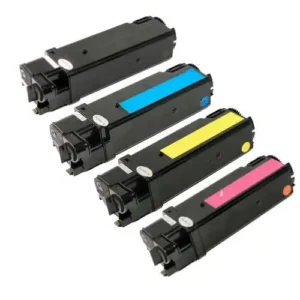
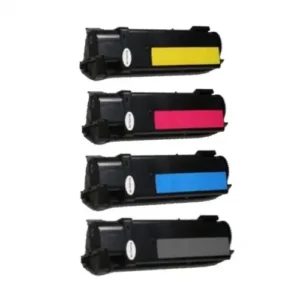
4-Piece High-Yield Toner Cartridge Combo Pack – Complete Color & Black Set
$14.00Original price was: $14.00.$10.00Current price is: $10.00. -
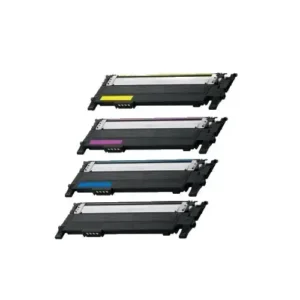
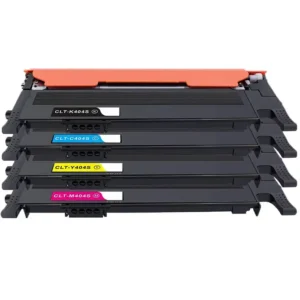
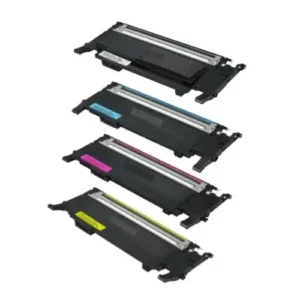
Compatible 4-Pack Toner Cartridge Set – Black & Full-Color Combo
$49.00Original price was: $49.00.$39.00Current price is: $39.00. -
Compatible 4-Pack Toner Cartridge Set – Black & Vibrant Colors
$29.00Original price was: $29.00.$21.00Current price is: $21.00. -
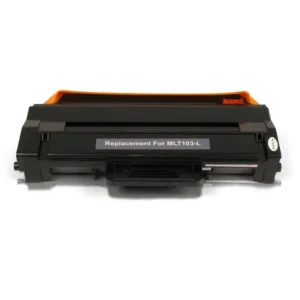
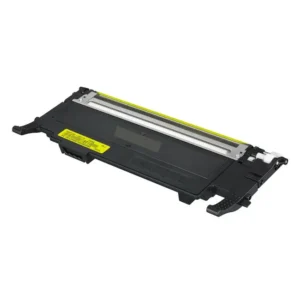
Compatible Black Toner Cartridge – Crisp, High-Performance Printing
$12.00Original price was: $12.00.$8.00Current price is: $8.00. -
Compatible Blue Toner Cartridge – Crisp & Vibrant Prints
$12.00Original price was: $12.00.$9.00Current price is: $9.00. -
Compatible Color Ink Cartridge – Vibrant & Reliable Prints
$10.00Original price was: $10.00.$8.00Current price is: $8.00. -
Compatible Cyan Toner Cartridge – Sharp & Vibrant Prints
$12.00Original price was: $12.00.$9.00Current price is: $9.00. -
Compatible Cyan Toner Cartridge – Vivid & Reliable
$12.00Original price was: $12.00.$9.00Current price is: $9.00. -
Compatible Toner 4-Piece Combo Pack – Complete Printing Solution
$49.00Original price was: $49.00.$39.00Current price is: $39.00. -
Compatible Toner Cartridge 4-Pack – Full Color & Black Set
$49.00Original price was: $49.00.$39.00Current price is: $39.00. -
Compatible Yellow Toner Cartridge – Bright & Precise Printing
$11.00Original price was: $11.00.$9.00Current price is: $9.00. -
Compatible Yellow Toner Cartridge – Bright, Bold & Consistent
$11.00Original price was: $11.00.$8.00Current price is: $8.00. -
High-Capacity Compatible Black Toner Cartridge – Durable & Reliable
$29.00Original price was: $29.00.$19.00Current price is: $19.00. -
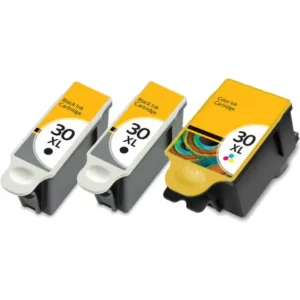
High-Yield 30XL Ink Cartridge 8-Pack – Complete Color & Black Collection
$69.00Original price was: $69.00.$59.00Current price is: $59.00. -
High-Yield Color Ink Cartridge – Vivid, Reliable, Compatible
$12.00Original price was: $12.00.$8.00Current price is: $8.00. -
High-Yield Compatible Black Ink Cartridge – Deep Black & Durable Output
$10.00Original price was: $10.00.$8.00Current price is: $8.00. -
High-Yield Compatible Black Ink Cartridge – Long-Lasting & Crisp Prints
$10.00Original price was: $10.00.$8.00Current price is: $8.00. -
High-Yield Compatible Black Toner Cartridge – Bold & Consistent
$39.00Original price was: $39.00.$29.00Current price is: $29.00. -
High-Yield Compatible Black Toner Cartridge – Crisp & Long-Lasting
$25.00Original price was: $25.00.$18.00Current price is: $18.00. -
High-Yield Compatible Black Toner Cartridge – Sharp & Dependable
$12.00Original price was: $12.00.$9.00Current price is: $9.00. -
High-Yield Compatible Magenta Toner Cartridge – Bright & Reliable
$13.00Original price was: $13.00.$9.00Current price is: $9.00. -
High-Yield Compatible Toner Cartridge 4-Pack – Extended Performance Set
$49.00Original price was: $49.00.$39.00Current price is: $39.00. -
High-Yield Compatible Yellow Toner Cartridge – Bright & Reliable
$11.00Original price was: $11.00.$9.00Current price is: $9.00. -
High-Yield Ink Cartridge 3-Pack – Reliable Black & Color Combo
$29.00Original price was: $29.00.$19.00Current price is: $19.00. -
High-Yield Ink Cartridge 5-Pack – Complete Color & Black Combo
$59.00Original price was: $59.00.$49.00Current price is: $49.00. -
High-Yield Ink Cartridge 8-Pack – Complete Black & Color Printing Set
$69.00Original price was: $69.00.$59.00Current price is: $59.00. -
Super High-Yield 11-Pack Ink Cartridge Combo – Complete Color & Black Set
$79.00Original price was: $79.00.$69.00Current price is: $69.00. -
Super High-Yield Compatible Cyan Ink Cartridge – Extra Capacity & Vibrant Color
$12.00Original price was: $12.00.$9.00Current price is: $9.00. -
Super High-Yield Ink Cartridge 5-Pack – Complete Color & Black Set
$59.00Original price was: $59.00.$49.00Current price is: $49.00. -
Super High-Yield Ink Cartridge 8-Pack – Extended Capacity Color & Black Set
$79.00Original price was: $79.00.$59.00Current price is: $59.00.
What Our Customers Say
Deal of the Day: 15% Off Select Inks!
Don’t miss today’s exclusive offer—get 15% off our top-selling remanufactured ink cartridges. High-quality prints, lower prices, and eco-friendly performance. Limited stock available. Hurry, offer ends at midnight!